Connection and Activation Status for Lens

Windows, Mac

Starting from PRISM Live Studio Windows v5.1.0 and macOS v2.1.0, you can now check in real-time which device among Lens 1, 2, and 3 is currently connected within the PRISM Lens source and Video Capture Device source properties window. This allows you to immediately identify the active device, making broadcast preparation much smoother.


Real-time Lens Connection Status

When you open the device dropdown menu in the properties of either a PRISM Lens source or a Video Capture Device source, the current connection status is displayed in real-time next to each Lens device name.

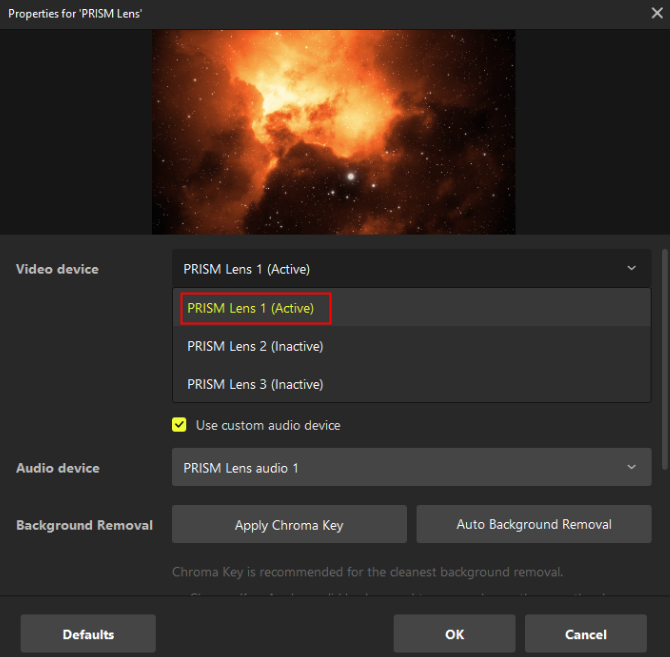
Active Status:

  • Displayed when the specific Lens is currently outputting a video feed correctly.

Display Active on properties for 'Prism Lens'
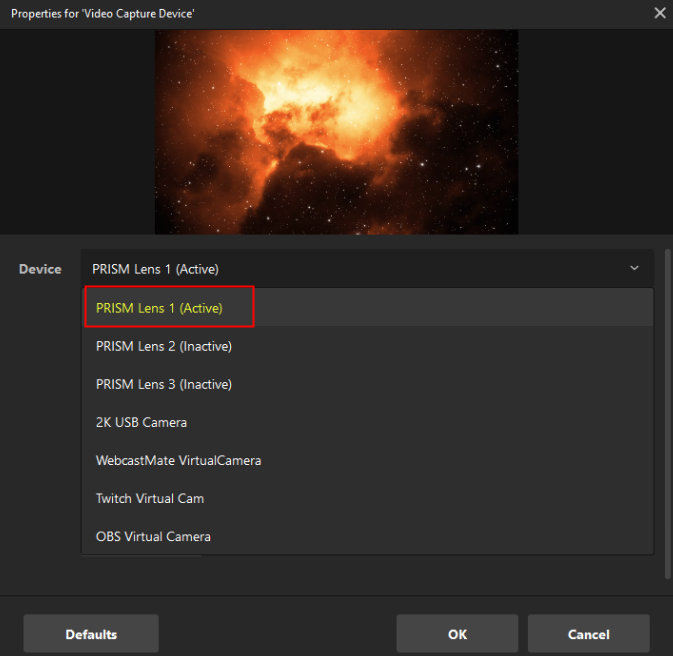
Display Active on properties for 'Video Capture Device'
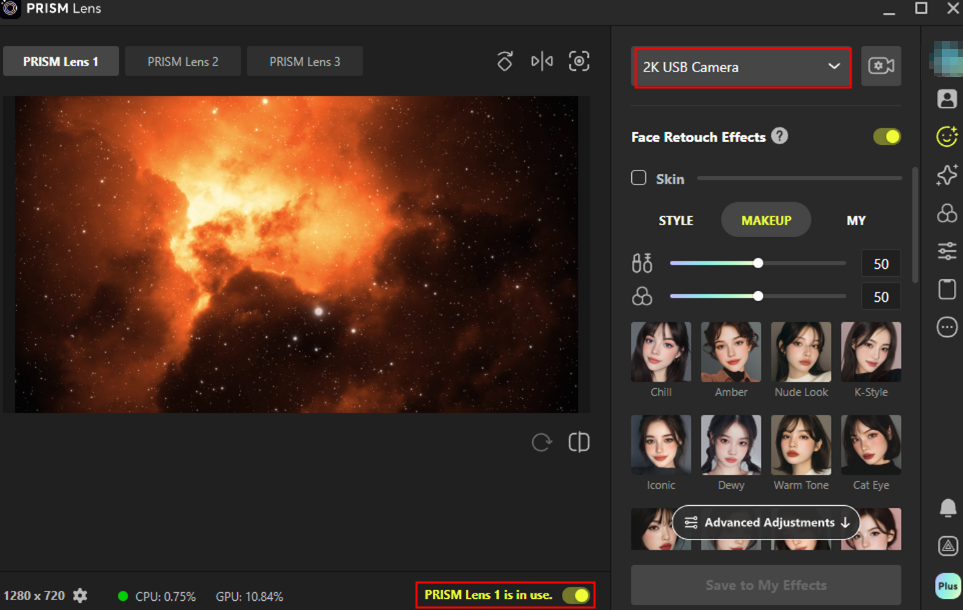
Criteria for Active:

  • The PRISM Lens app is running, the "Use PRISM Lens" toggle is ON, and a camera device is selected within the app.

Inactive Status:

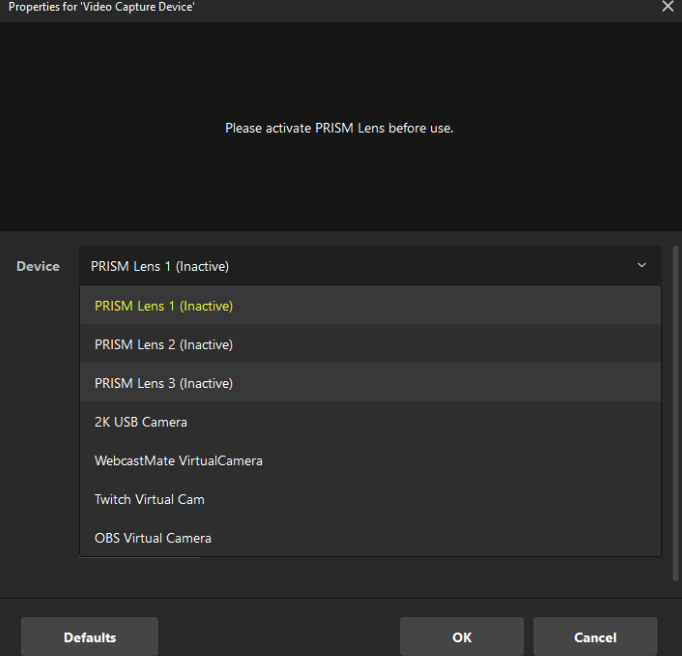
Displayed when the device is in the list but the video feed cannot be retrieved.

Display Inctive on properties for 'Prism Lens'
Display inactive on properties for 'Video Capture Device'
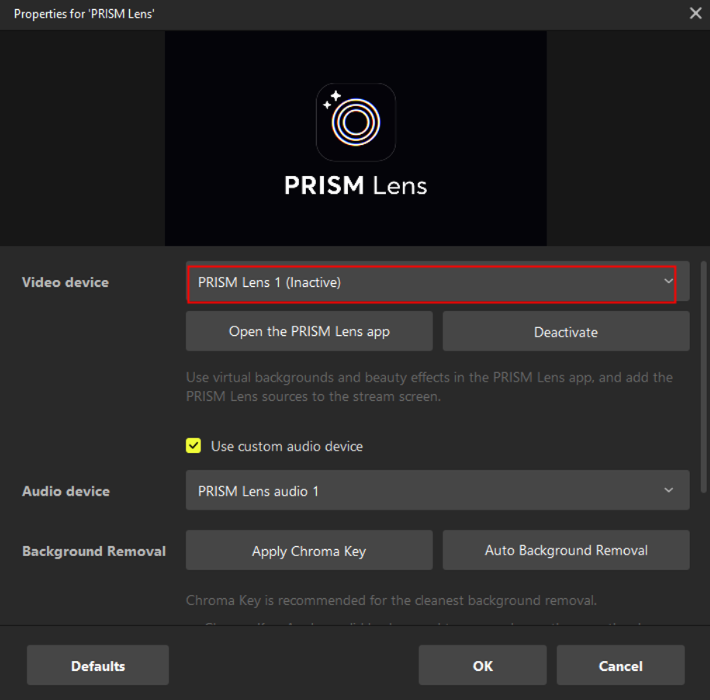
Causes for Inactive Status:

  • The "Use PRISM Lens" toggle is set to OFF within the Lens app.

  • The "Use PRISM Lens" toggle is ON, but no camera device has been selected in the app's device list.

  • The PRISM Lens app is not currently running.

  • The PRISM Lens app is at the login screen or is in the middle of an update.


Easy Lens Connection from Video Capture Device

When using a standard Video Capture Device, you can now switch to PRISM Lens more quickly and easily.

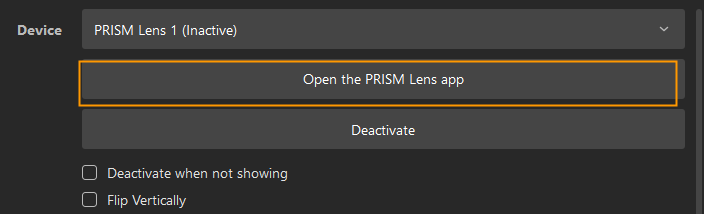
  • Open the PRISM Lens app: If no device is selected or if a different webcam is currently selected, the "Open the PRISM Lens app" button will be displayed within the Video Capture Device properties window.

  • One-click Auto-setup: Clicking this button automatically selects the currently active Lens device. If the PRISM Lens app is not running, it will be launched automatically to establish the connection.

Desktop, Guides, Sources, PRISM Lens Source

Last updated

Was this helpful?